Used iPhones
Buying a used iPhone: battery health and activation-lock checks
A practical used-iPhone checklist covering Activation Lock, battery health, parts history, network locks and checks before paying.
MobilePhones.biz · Buying advice
Confirm the exact iPhone first
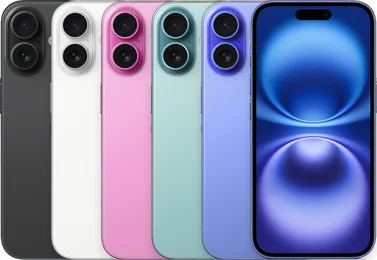
Check the full model name and storage against the listing. Ask whether the photographs show the phone you will receive and whether it has any faults, repairs or physical damage. When inspecting in person, ask the seller to show the device information in Settings. Do not rely on a case, box or product photograph to identify the handset. Read the return policy before paying if you cannot inspect it yourself.
Do not buy an Activation Locked iPhone
Apple says not to buy an iPhone if Activation Lock is enabled. An ‘iPhone Locked to Owner’ message is a warning that the previous owner’s account is still linked. Ask the seller to remove their account and complete the proper erase process, then check that you can proceed with setup without being asked for the previous owner’s credentials. A Hello screen alone is not a reason to skip the setup check. Do not pay on the promise that the lock will be removed later.
Look at battery health, not just charge level
A phone showing a full charge does not tell you how much capacity the battery retains. On supported models, inspect the battery-health information in Settings, including maximum capacity and any important battery messages. Apple notes that battery-health information may be unavailable for an unknown or non-genuine battery. Ask what battery standard the seller guarantees and whether the battery has been replaced. There is no single percentage that makes every used iPhone a good purchase: consider your use and any confirmed replacement cost.
Review the parts and service history
Where supported by the iPhone model and software version, Settings can show parts and service history. Read any entries or messages and ask the seller to explain repairs. An unknown-part message needs investigation; do not assume it means either a harmless repair or proof of a particular fault. The absence of a history section is not a universal guarantee that a phone has never been repaired. Use Apple’s guidance for the exact device and messages you see.
Check the network lock separately
Activation Lock and a mobile-network lock are different things. In Settings, check the network-provider lock information; Apple identifies ‘No SIM restrictions’ as meaning the iPhone is unlocked. Confirm that the regional version supports the SIM or eSIM arrangement you need. If practical, test your own service with the seller’s permission. Do not assume a device is unlocked just because the listing describes it as used or refurbished.
Test everyday functions before paying
Inspect the screen and body for damage, then test the cameras, speaker, microphone, buttons and charging. Check Wi-Fi and whether the phone turns on and behaves normally. If it will not charge or the seller will not allow reasonable checks, do not ignore that uncertainty. For an online purchase, inspect it promptly on arrival and contact the seller within the stated return period if it differs from the description. Keep a record of the listing and what the seller confirmed.